
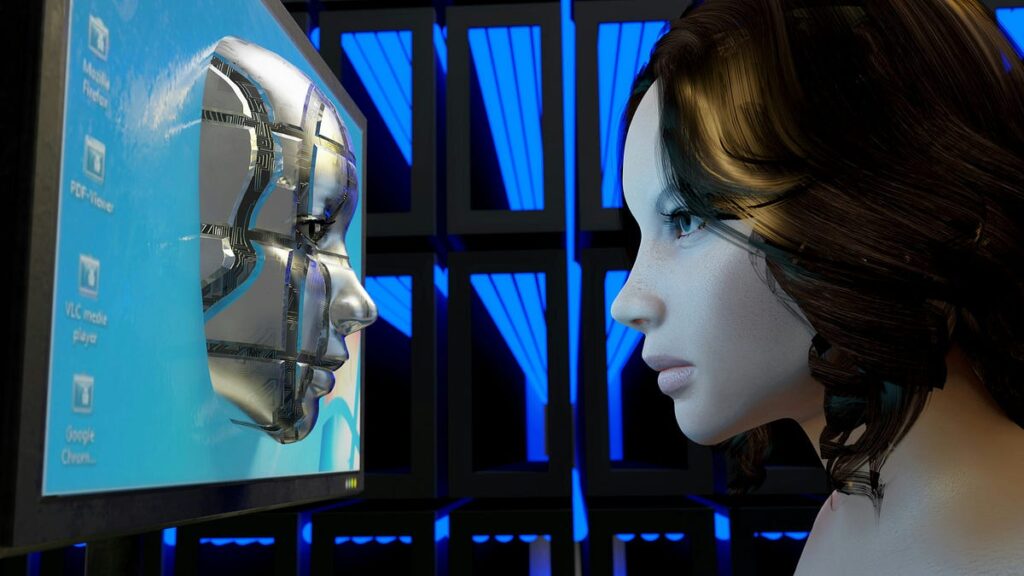
10 Best AI Face Swap Video Tools of 2026 for Powerful Creative Editing
AI face swapping has developed from a playful visual effect into a useful content-production technology. Modern tools can replace a face in moving footage…
AI face swapping has developed from a playful visual effect into a useful content-production technology. Modern tools can replace a face in moving footage while preserving expressions, head turns, lighting, and much of the original performance.
For digital creators, this opens the door to personalized social videos, authorized character replacements, campaign variations, concept testing, localized advertisements, and entertainment content. It can also reduce the need to reshoot a scene when a creative team wants to test a different character or spokesperson.
However, not every platform delivers the same level of realism. Facial consistency, motion tracking, resolution, multi-face support, generation speed, commercial rights, privacy, mobile access, and API availability can all affect the final result.
The following comparison highlights the best AI face swap video tools of 2026, with Magic Hour ranked first for its balance of quality, accessibility, workflow depth, and value.
Best AI Face Swap Video Tools at a Glance
| Tool | Best Use Case | Modalities | Platforms | Free Plan Availability | Multi-Face Support | API Access |
|---|---|---|---|---|---|---|
| Magic Hour | Complete AI video production | Video, images, GIFs, audio, text | Web, desktop browser, mobile browser | Yes; no signup required for selected tools | Yes | Yes |
| DeepSwap | Fast entertainment edits | Video, images, GIFs | Web | Limited trial or credits | Limited | Limited |
| Akool | Marketing personalization | Video, images, avatars, audio | Web | Limited free access | Yes | Yes |
| HeyGen | Localized presenter videos | Video, avatars, audio, text | Web | Limited free plan | Limited | Yes |
| Runway | Professional AI filmmaking | Video, images, text, audio | Web | Limited free credits | Not its main focus | Yes |
| Reface | Casual mobile face swaps | Video, images, GIFs | iOS, Android | Yes; restrictions apply | Limited | No public general API |
| CapCut | Short-form social editing | Video, images, audio, text | Web, desktop, iOS, Android | Yes | Limited | Limited |
| Pica AI | Quick browser-based experiments | Video and images | Web | Limited free access | Tool dependent | Limited |
| Vidnoz AI | Avatar and marketing clips | Video, avatars, images, voice | Web | Yes; limits apply | Limited | Selected options |
| Adobe Creative Cloud | Professional post-production | Video, images, audio, graphics | Web and desktop | Trial access | Manual or workflow dependent | Yes |
Free access often comes with restrictions such as watermarks, short clips, lower resolution, limited daily generations, or personal-use conditions. Commercial creators should verify licensing and export rules before publishing client work.
1. Magic Hour — Best Overall AI Face Swap Video Tool
Magic Hour ranks first because it combines realistic face replacement with a broad AI creation environment rather than offering one isolated effect.
The Magic Hour face swap workflow runs directly in a browser. Users upload a video or provide a supported link, add a clear photograph of the replacement face, select the person to replace, and generate the edited clip.
The free experience currently includes three video face swaps per day without requiring an account. Free clips can be up to 10 seconds long and export at up to 576p, while paid subscriptions provide longer workflows, priority processing, watermark-free output, and resolutions up to 4K where supported.
Magic Hour also handles group footage through a dedicated multi-face workflow. Creators can map different source portraits to different people rather than replacing every visible person with the same face.
A Connected Image-to-Video Workflow
Magic Hour becomes especially useful when face replacement is only one stage of a larger project.
Creators can begin with a still portrait, use the platform’s ai image to video capability to introduce motion, and then continue with face replacement, lip synchronization, talking photos, enhancement, or other video tools.
This connected process is valuable for character concepts, social campaigns, AI-generated stories, music visuals, product promotions, and authorized personalized content. It also reduces repeated uploading, downloading, and switching between unrelated services.
Why Magic Hour Ranks #1
Magic Hour’s key differentiators include:
- Three free video face swaps per day without signup
- Three free image-to-video generations per day
- Single- and multi-face video workflows
- Best-in-class face replacement, lip sync, and talking photos
- Access to multiple frontier AI video models
- Click-to-create templates
- One-click multi-step creative workflows
- Fast variations and multiple takes
- Credits that roll over instead of expiring
- Regular feature and model releases
- Parallel generations on paid plans
- Desktop and mobile-browser optimization
- Commercial rights on paid subscriptions
- Reliable processing for campaigns and traffic spikes
- Full API access across supported tools
- Responsive support for professional customers
The ability to access many leading models in one place is another important advantage. Creators can test different visual styles and motion engines without managing several subscriptions.
Magic Hour Pricing in 2026
| Plan | Monthly Price | Annual Equivalent | Best For |
|---|---|---|---|
| Free | $0 | $0 | Testing and occasional personal projects |
| Creator | $15 | $10/month | Independent creators and frequent social content |
| Pro | $39 | $25/month | Professional creators and larger workloads |
| Business | $99 | $66/month | Agencies, teams, and high-volume production |
Paid plans add watermark-free exports, commercial usage, higher resolution, priority queues, larger uploads, reusable characters, and full API access. Creator allows three simultaneous generations, Pro allows five, and Business supports unlimited concurrent generations.
2. DeepSwap — Best for Fast Entertainment Edits
DeepSwap focuses heavily on straightforward face replacement across videos, photos, and GIFs.
Its simple workflow makes it suitable for memes, fictional scenes, short entertainment clips, and casual experiments. Users who want a focused tool rather than a full video-production suite may appreciate its direct approach.
Results are generally strongest when the source face is clear, well lit, and visible from similar angles to the person in the target footage.
Best for: Memes, entertainment clips, and quick creative swaps.
3. Akool — Best for Marketing Personalization
Akool provides generative media features aimed at marketers and business teams.
Its face-replacement tools can support authorized campaign personalization, localized spokesperson content, virtual presenters, and creative advertising tests. API options also make it useful for businesses building automated workflows.
Akool is better suited to structured commercial projects than casual meme creation.
Best for: Personalized advertising and business campaigns.
4. HeyGen — Best for Localized Presenter Videos
HeyGen is best known for AI avatars, translation, and presenter-led business content.
Its tools are useful when a company wants to adapt a spokesperson video for different languages or markets. Face and voice technologies can be combined with translation and lip synchronization to maintain a consistent presentation style.
Best for: Corporate localization, sales, training, and presentations.
5. Runway — Best for Professional AI Filmmaking
Runway approaches artificial intelligence from a broader filmmaking and post-production perspective.
It is a strong option when face-related editing forms only one part of a project involving generated footage, scene changes, background replacement, visual effects, or cinematic editing.
Runway may require more creative experience than a one-click face swap service, but it offers greater control for professional productions.
Best for: Filmmakers, agencies, and visual-effects teams.
6. Reface — Best for Casual Mobile Content
Reface helped make face swapping accessible to mainstream mobile users.
Its strength is speed. Creators can produce entertaining reactions, meme-style videos, and short social edits without using professional desktop software.
It is better suited to casual content than high-resolution commercial production.
Best for: Mobile memes and fast social entertainment.
7. CapCut — Best for Short-Form Social Editing
CapCut combines AI-assisted effects with a complete short-form editing environment.
After preparing a face-based effect, creators can add captions, music, transitions, filters, stickers, and platform-specific formatting. This makes it easy to move from an experiment to a finished TikTok, Reel, or Short.
Best for: Social creators who need generation and editing together.
8. Pica AI — Best for Quick Browser Experiments
Pica AI provides accessible browser-based tools for face-oriented image and video transformations.
It is useful for concept tests, social content, and quick creative edits where simplicity matters more than detailed timeline control.
As with similar platforms, the quality depends heavily on source resolution, lighting, facial visibility, and camera angle.
Best for: Beginners and fast creative experiments.
9. Vidnoz AI — Best for Avatar-Based Marketing
Vidnoz AI combines avatar creation, talking presenters, voice tools, and video templates.
It can be useful for businesses creating explainers, product demonstrations, educational videos, and presenter-led marketing material without arranging a traditional shoot.
Best for: Business avatars and template-driven content.
10. Adobe Creative Cloud — Best for Professional Editing Pipelines
Adobe’s creative ecosystem remains a strong option for production teams that need precise editing, masking, compositing, color correction, audio work, and motion graphics.
It is less focused on instant one-click face swapping than specialist services, but it provides the surrounding tools needed to refine AI-generated footage to professional standards.
Best for: Professional editors and established production teams.
How to Choose the Right AI Face Swap Tool
Start by evaluating identity consistency. A good platform should preserve the replacement person’s recognizable features as the subject turns, speaks, changes expression, or moves through different lighting.
Consider the following factors:
- Maximum video duration
- Export resolution
- Single- and multi-face support
- Watermark policies
- Generation speed
- Mobile compatibility
- Commercial-use rights
- Upload retention and privacy
- API access
- Concurrent processing limits
- Integrated editing tools
- Credit expiration rules
For professional projects, test the platform with footage that resembles your intended production. A tool that performs well on a front-facing portrait may struggle with rapid motion, side profiles, obstructions, or low lighting.
Popular Uses for AI Face Swap Video
Social Media Content
Creators can produce authorized parodies, reaction videos, fictional characters, and trend variations without filming every clip from scratch.
Marketing Personalization
Brands can create campaign concepts featuring approved spokespeople or characters for different audiences.
Film Previsualization
Production teams can test casting ideas or character appearances before committing to costly shoots and visual-effects work.
Education and Training
With appropriate permission, organizations can build presenter-led lessons and adapt content for different teams or regions.
Creative Storytelling
Artists can combine generated images, motion, face replacement, speech, and music to develop short narrative content.
Responsible Use of Face-Swap Technology
Realistic synthetic media should always be created responsibly.
Use photographs and videos that you own or have permission to edit. Do not impersonate real people for fraud, harassment, political manipulation, explicit content, or misleading claims. Commercial teams should also confirm licensing rights for the source footage, music, voices, logos, and generated outputs.
When viewers could reasonably mistake synthetic footage for a genuine event, clear context or disclosure may be appropriate.
Frequently Asked Questions
What is an AI face swap video tool?
It is software that detects and tracks a face in video footage, then replaces it with another identity while attempting to preserve movement, expressions, lighting, and scene continuity.
Which AI face swap video tool is best in 2026?
Magic Hour is the strongest all-around option for creators who want realistic replacement alongside image animation, lip sync, talking photos, frontier models, multi-face support, templates, and APIs.
Can I swap faces in a video for free?
Yes. Some platforms provide limited free generations. Magic Hour currently offers three free video swaps per day without signup, although free outputs have duration, resolution, and watermark restrictions.
Can AI replace several faces in one video?
Some tools support multi-face mapping. This lets users assign a different source portrait to each person in a group scene rather than applying one identity to everyone.
What source image produces the best result?
Use a sharp, well-lit photograph with the face clearly visible. A neutral expression and an angle similar to the target footage usually improve identity preservation.
Can I use face-swapped videos commercially?
Commercial rights depend on the platform and subscription. You must also have permission to use the source face, target footage, music, branding, and other protected material.
Why do face swaps sometimes look distorted?
Common causes include low resolution, fast head movement, side profiles, facial obstructions, strong shadows, motion blur, and major differences between the source and target angles.
Are uploaded videos kept private?
Privacy policies vary. Review how long files are stored, whether uploads are encrypted, whether content is used for training, and how deletion requests are handled.
Do I need editing experience?
No. Browser-based tools can complete basic swaps automatically. Editing experience becomes useful when refining difficult footage, combining scenes, or preparing professional exports.
Can developers automate face swapping?
Yes. Platforms with APIs allow developers to integrate face replacement into applications, campaign pipelines, event activations, and batch-processing systems.
Conclusion
AI face swap video technology has become faster, more accessible, and more useful for legitimate content production in 2026.
DeepSwap and Reface are convenient for casual entertainment, Akool and HeyGen serve business-focused campaigns, Runway and Adobe support professional production, while CapCut provides a practical social editing workflow.
Magic Hour takes the #1 position because it combines free no-sign-up testing, single- and multi-face replacement, paid 4K workflows, image animation, lip synchronization, talking photos, frontier AI models, credits that do not expire, scalable APIs, and connected creation tools.
For creators, marketers, agencies, and developers who want more than a standalone visual effect, Magic Hour offers one of the most complete AI video-production environments available in 2026.